Gold Google Certified CMP for Consent Mode
Implement Google Consent Mode V2 in minutes with Concord's certified platform, trusted for compliance, built for performance.
Google Consent Mode V2 Ready
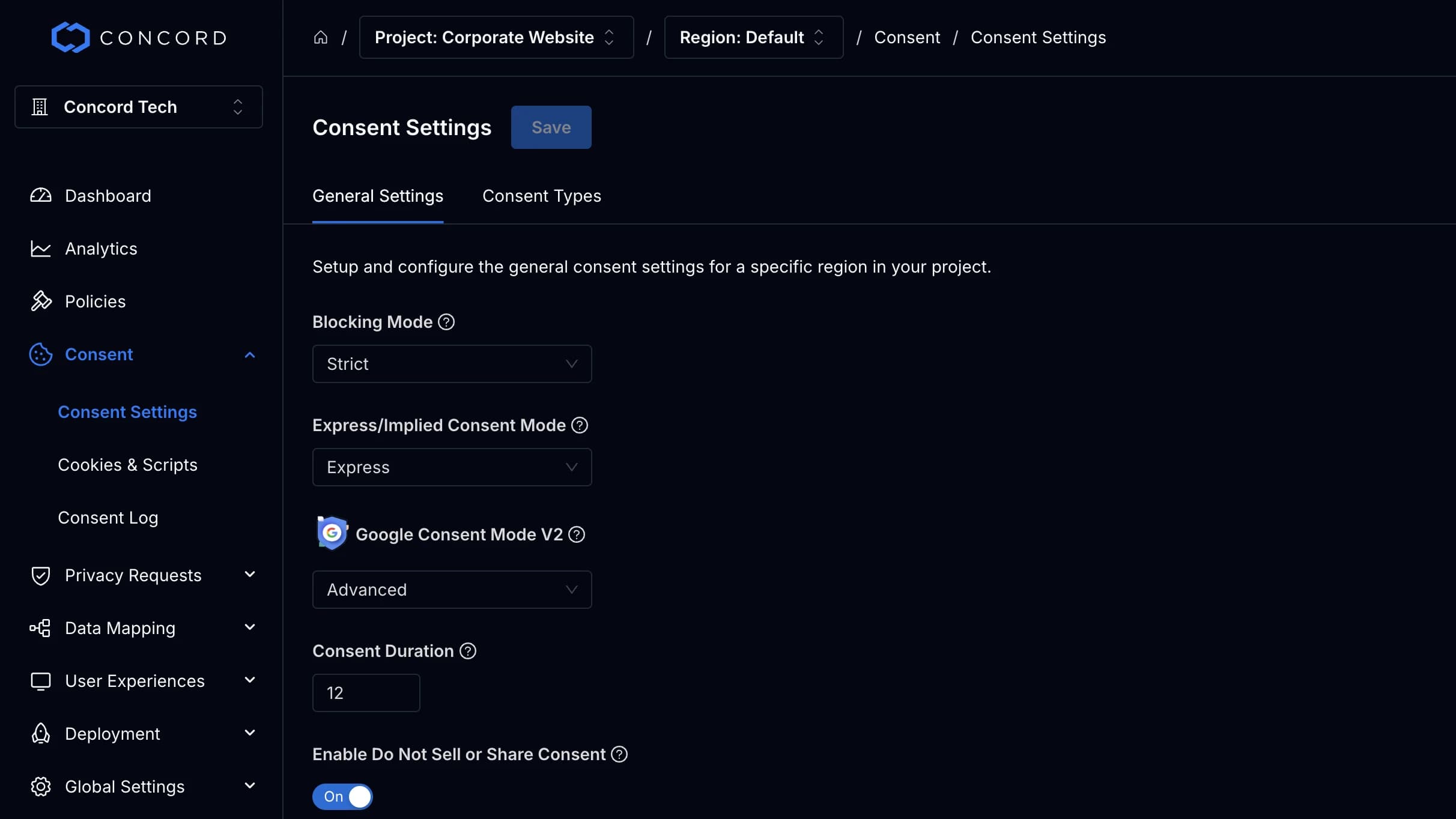
Support for both Basic and Advanced modes with automatic consent signal syncing
Official Gold Google Certified CMP Partner
Google certifies Concord as a Gold CMP Partner for Google Ads and Analytics, so your consent signals reach Google in the format it requires.
Quick GTM or Gtag Setup
Get running quickly with our Google Tag Manager Template or direct gtag support
Launch Google Consent Mode V2 with Concord in 3 Easy Steps
Our certified workflow takes you from signup to live consent signal syncing in minutes without any headaches
- 1
Sign-Up For Concord & Setup Your 1st Project
Sign up and set up your first project in Concord. Google Consent Mode V2 is enabled in advanced mode by default for all new projects.
- 2
Add Concord & Google to Your Site
Deploy Concord via our expansive app library or using a single line of code, then add Google using our GTM template or easy Gtag instructions.
- 3
Launch & Verify Your Setup With Confidence
Easily verify your installation using our Google Consent Mode Scanner. Going forward, we will automatically sync consent with Google.
Related Resources
- GCM Setup Guide
Modes, Google Tag Manager and gtag steps, banner requirements, and troubleshooting.
- GCM Scanning Guide
What each scan result means and how weekly and on-demand scans work.
- Consent Mode Scanner
Check which Consent Mode signals any page sends today.
- What Is GCM V2
A plain-language guide to what Consent Mode is and why Google certification matters.
- Concord Privacy Pricing
Google Consent Mode V2 and the Gold Certified CMP are on every plan, including Free.
- Concord Privacy
Consent management, policies, privacy requests, and data mapping on one platform.
Frequently Asked Questions
Consent Mode V2 is how your consent banner tells Google tags whether a visitor agreed to advertising and analytics storage, so the tags adjust what they collect. V2 added two parameters: ad_user_data, for sending advertising data about the user to Google, and ad_personalization, for personalized ads.
If you serve personalized ads through AdSense, Ad Manager, or AdMob to users in the EEA, the UK, or Switzerland, yes. Google has enforced that requirement since January 16, 2024 (July 31, 2024 in Switzerland), and traffic from a non-certified CMP can only receive non-personalized or limited ads. Advertisers and analytics users are covered by Google’s EU User Consent Policy, and Consent Mode is how a consent banner communicates visitor choices to Google tags.
Yes. Concord is a Gold Certified CMP Partner with Google. Google Consent Mode V2 and the certified CMP are included on every Concord plan, including Free.
No. Consent Mode is a Google product requirement, not a law. The legal duties come from GDPR and the ePrivacy Directive, and Google’s EU User Consent Policy asks you to collect consent where the law requires it. A certified CMP collects that choice and passes it to Google.
Basic mode blocks Google tags until the visitor grants consent. Advanced mode loads the tags first and sends cookieless pings when consent is declined, which enables behavioral and conversion modeling in Google Analytics. Concord lets you choose Disabled, Basic, or Advanced for each region.
No. Concord works with Google Tag Manager through a community template, and with the Google tag directly through a short consent default block. Use one of the two, not both.
Run a Google Consent Mode scan. It checks for blocked Google tags, defaults set too late, defaults not set, and consent that does not update after a choice. Concord scans every project domain weekly at no cost, and the public scanner on this site checks any page.
Yes. With TCF v2.4 enabled, Concord can let Google read ad_storage, ad_user_data, and ad_personalization from your TCF consent string. The setting is off by default. Keep Consent Mode on Basic or Advanced so analytics_storage is still sent.
Without consent signals, Google tags cannot adjust to visitor choices. Google notes that when tags are blocked by consent choices under a basic setup, no data is collected and conversion modeling in Google Ads is based on a general model. A Google certified CMP is also what keeps personalized ads eligible in the EEA, the UK, and Switzerland.
Without the IAB TCF, Google’s EU User Consent Policy expects the banner to explain that data is used to personalize and measure ads, link to Google’s Privacy and Terms page for partners, and offer a clear way to accept. Concord’s banner text is fully editable, so you can include all three.
It can. When Google scripts are served through Google Tag Gateway, a Google tag may load before Concord’s consent default is on the page, which Google reports as a late consent signal. Concord flags this in the product, and the Google Tag Gateway guide in our help docs covers the fix.
Chat live inside Concord at admin.concord.tech or email google@concord.tech. Concord’s help center also has a step-by-step guide for Google Consent Mode V2.
Work With a Team That Knows Google Consent Mode Inside & Out
Our Google compliance specialists help you roll out Consent Mode V2 across complex stacks, audit existing deployments, and keep stakeholders aligned
- Dedicated setup and launch assistance.
- Live chat inside Concord plus email support.
- Always aligned with the latest Google consent requirements.
Chat live at admin.concord.tech or email google@concord.tech