Security Questionnaires Overview
Overview of security questionnaire automation in Concord Trust: how intake, AI-powered answering, and the Data Hub work together to streamline questionnaire response.
Overview
Security questionnaires are a routine part of vendor evaluations, customer due diligence, and compliance reviews. Concord Trust provides a dedicated workflow for receiving, responding to, and tracking security questionnaires, with optional AI-powered auto-fill that references your existing policies, documents, and knowledge base through the Data Hub.
Navigate to Trust → Questionnaires to access the questionnaire workspace.
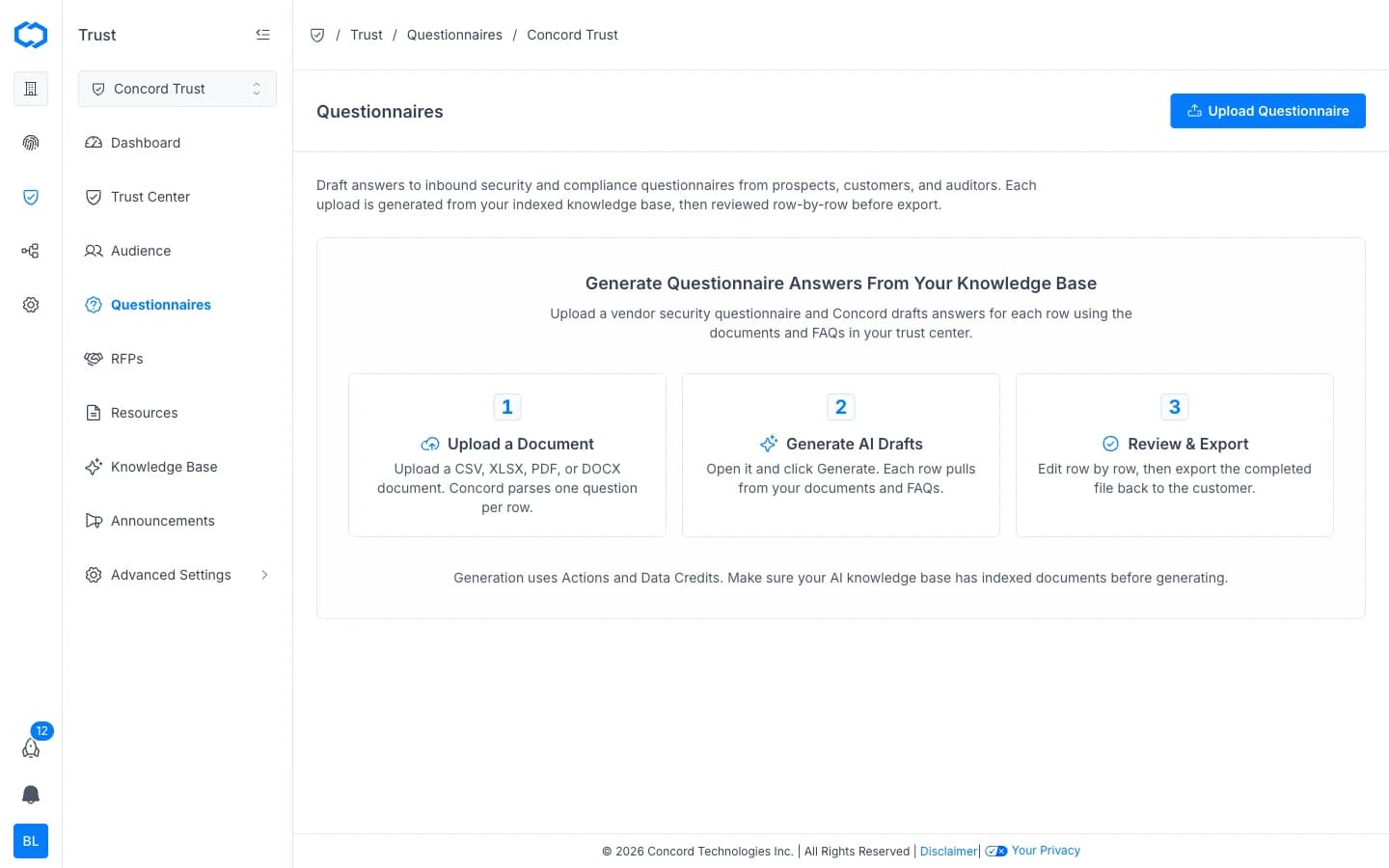
How Questionnaire Response Works
The questionnaire workflow in Concord follows three stages:
1. Upload a Document
Upload a CSV, XLSX, PDF, or DOCX questionnaire file. Concord parses one question per row.
2. Generate AI Drafts
Click Generate and Concord drafts answers for each row using the documents and FAQs in your Knowledge Base. The AI references uploaded documents, policies, prior questionnaire responses, and FAQs to produce draft answers grounded in your actual security posture.
3. Review & Export
Edit responses row by row, then export the completed file back to the requester. Every AI-generated answer requires human review before it is finalized.
The Data Hub Connection
Concord Trust's questionnaire AI references the same shared Data Hub that powers your Trust Center and privacy program. This means:
- Policies managed in Concord Privacy are available as source material for AI answers.
- Documents uploaded to Data Hub → Documents (SOC 2 reports, certifications, penetration test summaries) are indexed and referenced.
- FAQs you have written for your Trust Center are used as prior answers.
- Prior questionnaire responses that you have approved build up your Knowledge Base over time, improving future answer accuracy.
The more complete your Data Hub, the better the AI performs. For details on adding documents, see Adding & Managing Documents.
Questionnaire Statuses
| Status | Meaning |
|---|---|
| New | Received but not yet started. |
| In Progress | AI auto-fill has run or manual answering has begun. |
| In Review | Responses are complete and awaiting final review. |
| Completed | Reviewed, finalized, and ready to send or export. |
| Archived | Completed and moved out of the active queue. |
Actions and Data Credits
Generation uses Actions and Data Credits. Actions cover orchestration and are included with your plan. Data Credits cover AI inference costs and are purchased separately. See Actions and Data Credits for details.
Getting Started
To start responding to your first questionnaire, see Managing Questionnaires.
To learn how the AI auto-fill works in detail, see AI Questionnaire Automation.
For RFP and RFX automation, see RFP Automation Overview.
Related Articles
Custom Scripts Integration
How to add custom scripts to your Concord Trust Center for analytics, chat widgets, tracking pixels, and other third-party tools.
AI Questionnaire Automation
How Concord Trust uses AI to auto-fill security questionnaire responses by referencing your Knowledge Base and Data Hub, including how answers are generated, reviewed, and when AI credits are consumed.