Custom Scripts Integration
How to add custom scripts to your Concord Trust Center for analytics, chat widgets, tracking pixels, and other third-party tools.
Overview
Custom Scripts lets you inject JavaScript or HTML snippets into your Trust Center. Use this to for analytics tools, live chat widgets, conversion tracking pixels, or any other third-party script your team needs on your Trust Center pages.
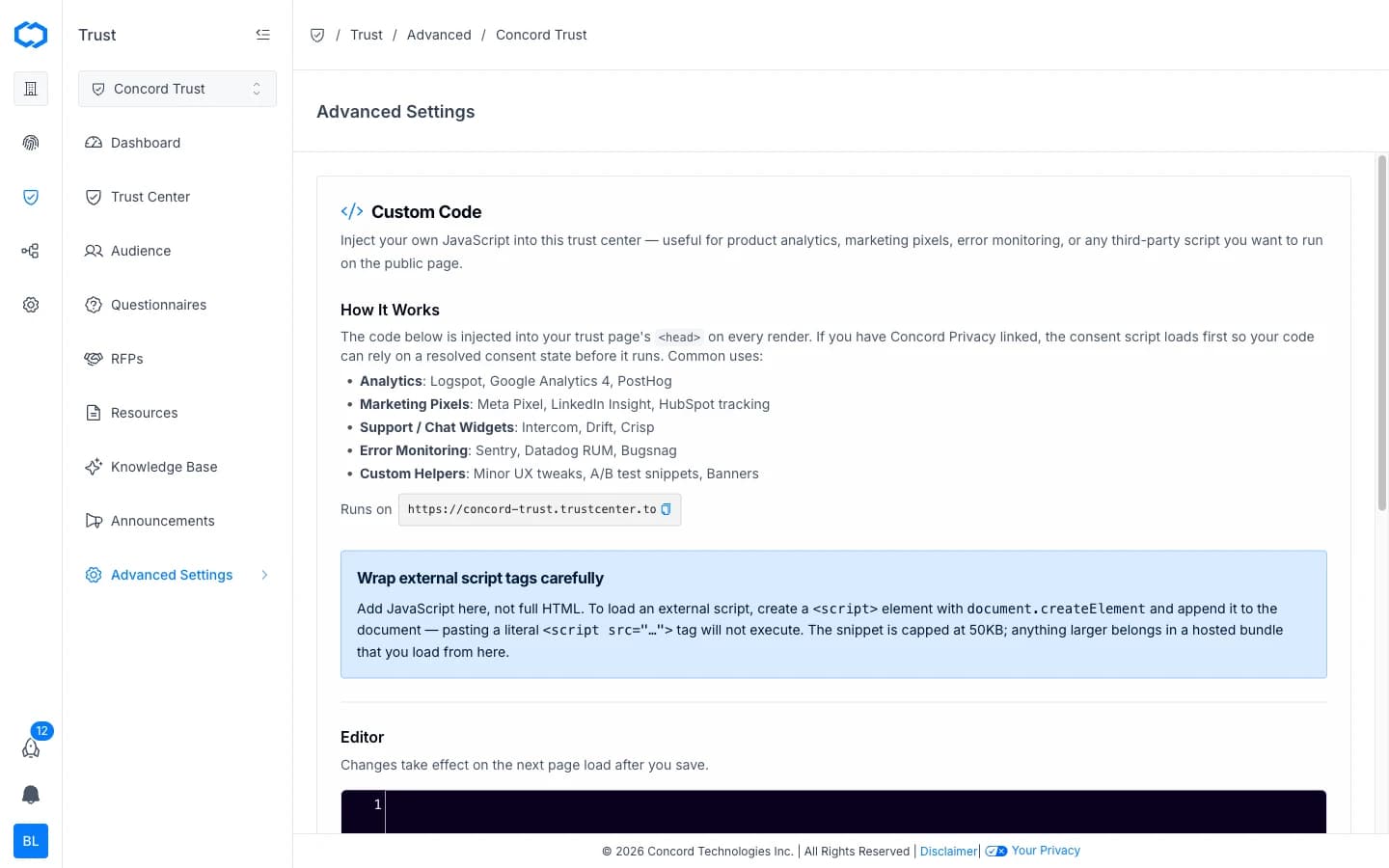
Scripts are added through Advanced Settings > Custom Code and load on every page of your Trust Center.
Use Cases
Common reasons to add custom scripts:
- Analytics: Google Analytics, Plausible, PostHog, or other tracking tools to measure Trust Center traffic and engagement.
- Chat widgets: Intercom, Drift, HubSpot chat, or similar tools so visitors can ask questions directly.
- Tracking pixels: Meta Pixel, LinkedIn Insight Tag, or conversion tracking for ad campaigns that link to your Trust Center.
- Custom styling: additional CSS snippets to fine-tune Trust Center appearance beyond the built-in branding options.
Adding a Custom Script
-
In the Concord Admin UI, go to Trust > Advanced Settings > Custom Code.
-
Paste your JavaScript into the code editor. The code is injected into your trust page's
<head>on every render. -
Click Save.
Managing Scripts
You can add multiple scripts. Each script appears as a separate entry in the Custom Scripts configuration.
To edit a script, return to Trust > Advanced Settings > Custom Code, make your changes, and click Save.
To remove a script, select it and click Delete. The script stops loading on your Trust Center immediately.
Testing Your Script
After saving a script:
- Open your Trust Center in a browser (use your
trustcenter.tosubdomain or custom domain). - Use your browser's developer tools to verify the script loaded correctly.
- For analytics tools, confirm that page views or events are being recorded in the third-party dashboard.
Security Considerations
Custom scripts run in the context of your Trust Center and are visible to all visitors. Keep the following in mind:
- Only add scripts from sources you trust.
- Avoid scripts that modify page content in ways that could conflict with Trust Center functionality.
- Scripts that collect visitor data should align with your organization's privacy policy and consent practices.
Related Articles
Concord Privacy Integration
How to connect Concord Privacy to your Trust Center to add cookie consent, regional privacy compliance, and a privacy request portal for visitors.
Security Questionnaires Overview
Overview of security questionnaire automation in Concord Trust: how intake, AI-powered answering, and the Data Hub work together to streamline questionnaire response.