Concord Privacy Integration
How to connect Concord Privacy to your Trust Center to add cookie consent, regional privacy compliance, and a privacy request portal for visitors.
Overview
The Concord Privacy integration adds your consent management platform (CMP) directly to your Trust Center. When enabled, visitors see a region-aware consent banner, privacy compliance controls, and the ability to submit privacy requests, all powered by Concord Privacy.
This integration does not sync data between products. It injects the Concord Privacy consent script into your Trust Center page so that visitor consent is settled before any other code runs.
What Gets Added
When a Concord Privacy project is linked, three features are activated on your Trust Center:
Consent Management
A region-aware consent banner that blocks non-essential cookies and scripts based on visitor consent. The banner styling and consent categories are managed in the linked Concord Privacy project.
Global Compliance
GDPR, CCPA/CPRA, LGPD, and other regional rules are applied automatically based on the visitor's location. Opt-out signals like Global Privacy Control are honored.
Privacy Requests
Visitors can submit access, deletion, and opt-out requests directly from your trust page. Submitted requests flow into Concord Privacy for review and fulfillment.
Linking a Privacy Project
-
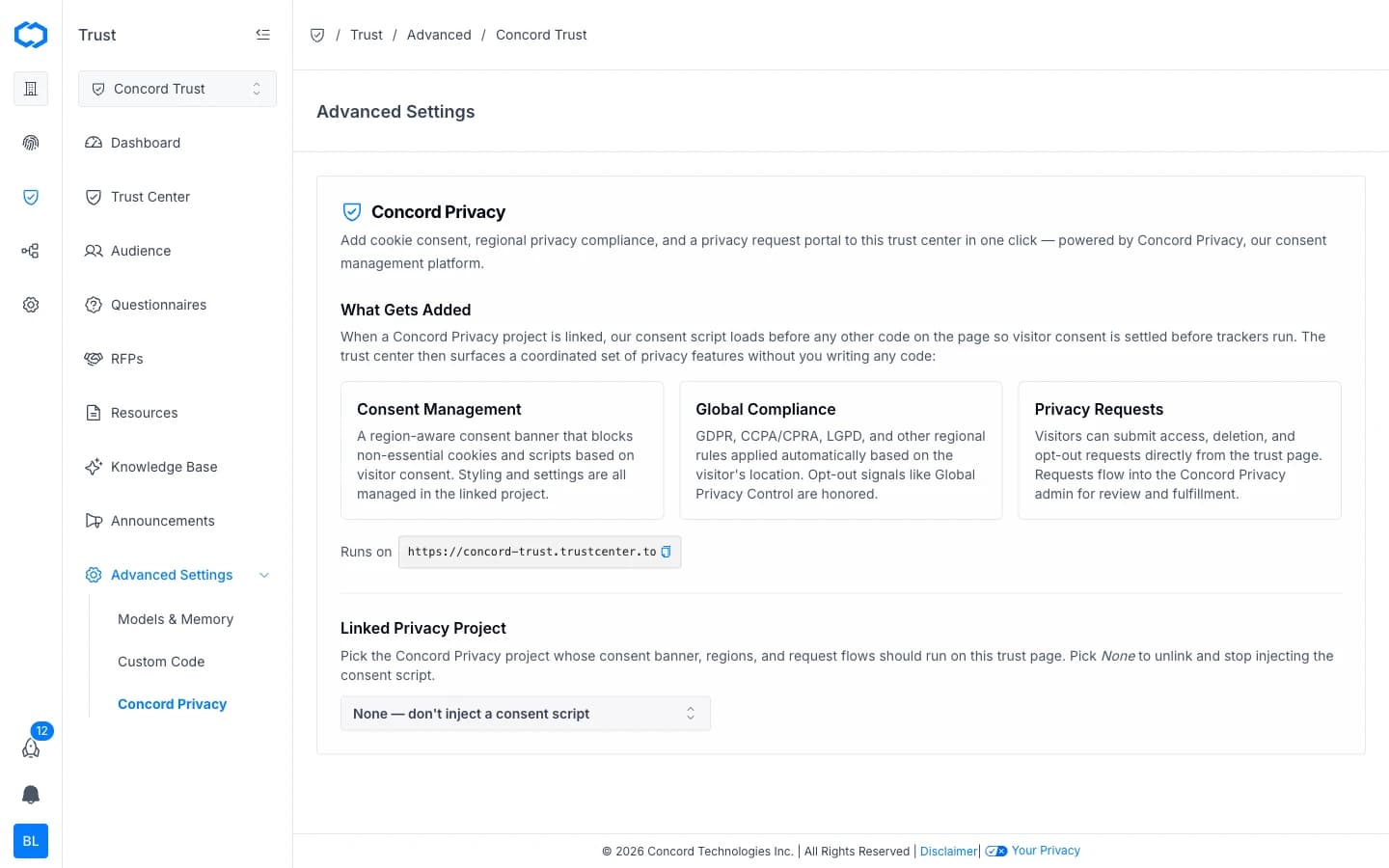
In the Concord Admin UI, go to Trust > Advanced Settings > Concord Privacy.
-
Open the Linked Privacy Project dropdown.
-
Select the Concord Privacy project whose consent banner, regions, and request flows should run on this trust page.
-
The Concord consent banner will be visible on your Trust Center.
Your Trust Center URL (e.g., yourcompany.trustcenter.to) is displayed on the page for reference.
Unlinking a Privacy Project
- Go to Trust > Advanced Settings > Concord Privacy.
- Open the Linked Privacy Project dropdown.
- Select None to stop injecting the consent script.
Unlinking removes the consent banner, compliance controls, and privacy request portal from your Trust Center. No data is deleted from either product.
Related Articles
Trust Center Analytics
How to interpret Trust Dashboard metrics to understand visitor behavior, document engagement, and announcement performance.
Custom Scripts Integration
How to add custom scripts to your Concord Trust Center for analytics, chat widgets, tracking pixels, and other third-party tools.