Sharing Your Trust Center
How to share your Concord Trust Center with prospects, customers, and partners, including direct links, website embedding, email signatures, and sales outreach.
Overview
Once your Trust Center is live, the next step is getting it in front of the right people. You can share your Trust Center through direct links, embed it on your website, add it to email signatures, or include it in sales outreach. The more visible your Trust Center is, the fewer inbound security questionnaires and document requests your team needs to handle manually.
Your Trust Center URL is either your trustcenter.to subdomain (e.g., yourcompany.trustcenter.to) or a custom domain you have configured. For domain setup, see Setting Up Your Trust Center Domain.
Finding Your Trust Center URL
-
In the Concord Admin UI, go to Trust → Trust Center.
-
Select the Domains tab.
-
Your active Trust Center URL is displayed at the top of the page.
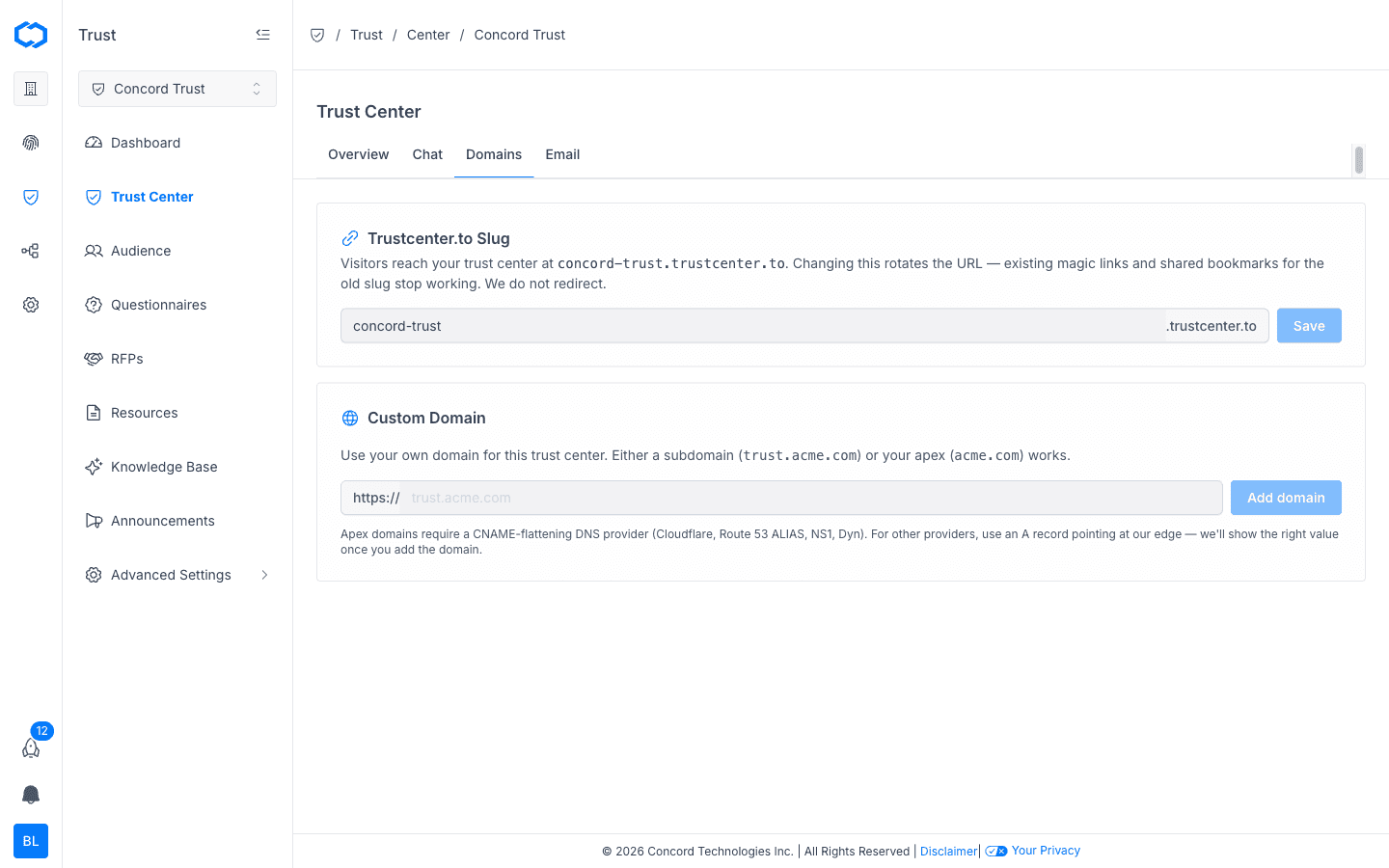
You can copy the URL directly from this screen.
Direct Links
The simplest way to share your Trust Center is by sending the URL directly. Use direct links when:
- A prospect asks for your security posture or compliance documentation.
- A customer requests access to your SOC 2 report or privacy policy.
- A partner needs to review your data handling practices during due diligence.
For documents that require gated access, visitors will be prompted to request access through the Trust Center. You approve or deny requests from the Audience section in the Trust Center Admin UI.
Adding Your Trust Center to Your Website
Link to your Trust Center from your company website so visitors can find it on their own. Common placements include:
- Footer: add a "Trust Center" link alongside your Privacy Policy and Terms of Service links.
- Security page: if you have a dedicated security page, link to your Trust Center as the primary destination for compliance documentation.
- Navigation: add a top-level "Trust" link in your site navigation for maximum visibility.
Use your Trust Center URL as a standard link. No embed code or JavaScript snippet is required.
Email Signatures
Adding your Trust Center to employee email signatures puts it in front of prospects and customers during routine communication. This is especially effective for sales, customer success, and legal teams who regularly field security questions.
Example signature line:
Trust Center: yourcompany.trustcenter.to
Sales Outreach
Include your Trust Center link in sales materials to address security and compliance questions proactively. Effective placements include:
- Proposal documents: add a Trust Center link in the security or compliance section of your proposals.
- Follow-up emails: after a security-related question, send the Trust Center link instead of attaching individual documents.
- Sales decks: include a Trust Center slide or link so prospects can self-serve compliance documentation after the meeting.
- CRM templates: add your Trust Center URL to email templates in your CRM so reps include it consistently.
Sharing the Trust Center early in the sales process can shorten deal cycles by reducing churn around security reviews.
Tracking Engagement
The Trust Dashboard tracks page views, document downloads, access requests, and visitor domains out of the box. For additional third-party analytics, you can add tracking scripts through the Custom Scripts integration.
Related Articles
Managing Your Trust Center Audience
How to review and approve access requests, manage NDAs, and control who can view gated content on your Concord Trust Center from the Audience page.
Trust Dashboard Overview
Overview of the Concord Trust Dashboard, covering audience metrics, questionnaire workflow, announcement engagement, and knowledge base usage.