Configuring Trust Center Email Settings
How to configure the From: address and notification settings for emails your Concord Trust Center sends, including access request and NDA notifications.
Overview
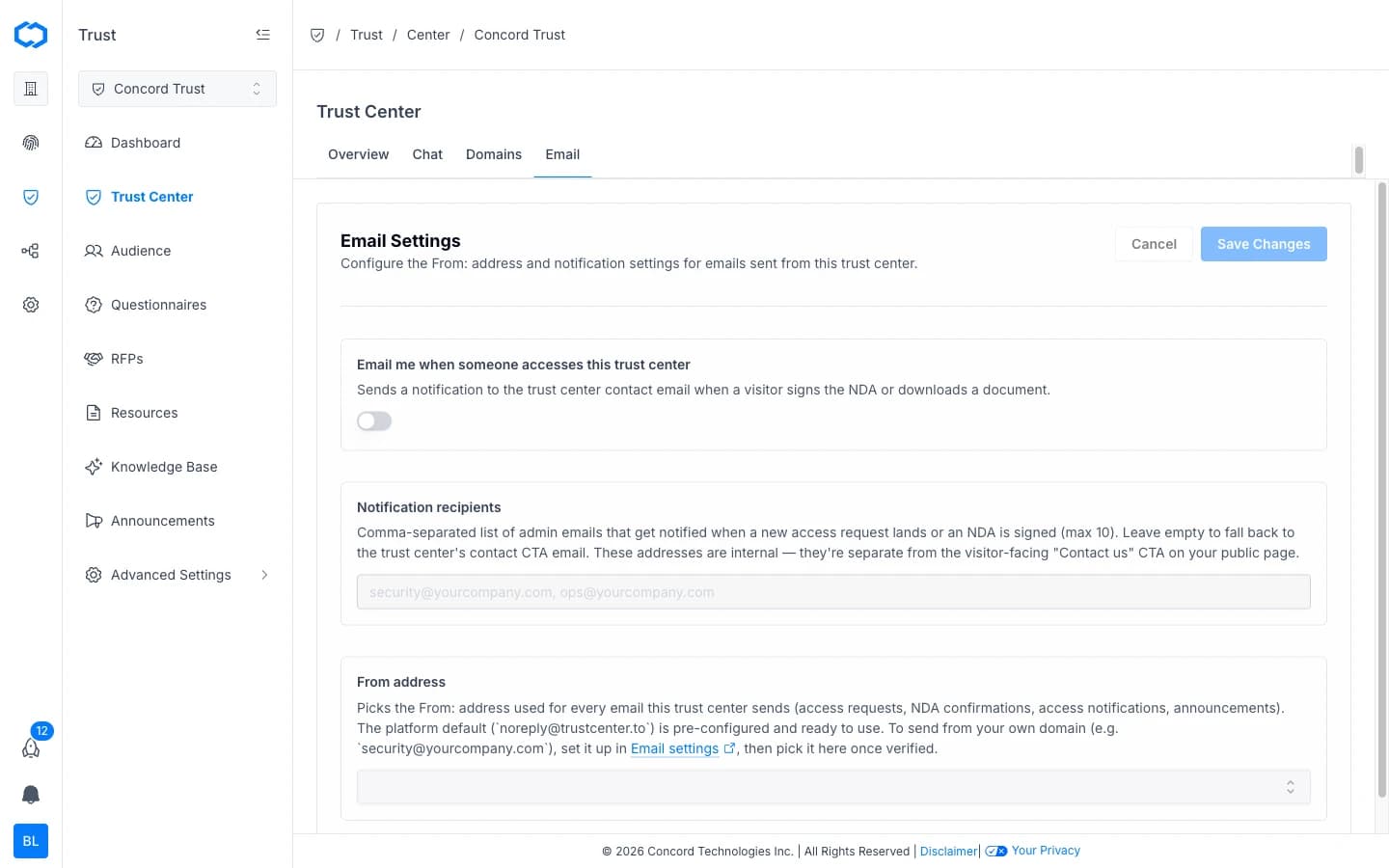
Your Trust Center sends email on your behalf — access request notifications, NDA confirmations, and announcement emails to subscribers. The Email tab controls which address those emails send from and who on your team gets notified of new activity.
- In the Concord Admin UI, go to Trust → Trust Center.
- Select the Email tab.
Notifying Your Team of New Activity
Turn on Email me when someone accesses this trust center to send a notification to your Trust Center's contact email whenever a visitor signs an NDA or downloads a document.
- On the Email tab, toggle on Email me when someone accesses this trust center.
- Click Save Changes.
Setting Notification Recipients
By default, activity notifications go to your Trust Center's contact email. To notify specific people on your team instead, add their addresses under Notification recipients.
- Enter a comma-separated list of admin emails (up to 10) that should be notified when a new access request lands or an NDA is signed.
- Click Save Changes.
Leave this field empty to fall back to the Trust Center's contact CTA email. These addresses are internal notifications only — they're separate from the visitor-facing "Contact us" CTA on your public page.
Setting the From Address
The From address controls the sender address used for every email your Trust Center sends: access requests, NDA confirmations, access notifications, and announcements.
The platform default, noreply@trustcenter.to, is pre-configured and ready to use. To send from your own domain instead (for example, security@yourcompany.com):
- Set up and verify the address in Global Settings → Send From Emails. See Managing Send From Emails and Send From Email Authentication (DKIM & DMARC).
- Return to the Email tab and select the verified address from the From address dropdown.
- Click Save Changes.
Related Articles
Trust Center Overview
Overview of Concord Trust Center: a public-facing page where prospects, customers, and partners can review your security and compliance posture, access compliance documents, and find answers to common security questions.
Setting Up Your Trust Center Domain
How to configure your Trust Center domain, including the free trustcenter.to subdomain slug and custom domain setup.