Managing FAQs
How to add, edit, and manage FAQ documents in the Data Hub for your Concord Trust Center, including individual FAQs and bulk import from a spreadsheet.
Overview
FAQs are a document type in the Data Hub. Each FAQ is a question and answer pair that can be featured on your Trust Center so prospects and customers can find answers to common security and compliance questions without contacting your team.
You can add FAQs one at a time or bulk-import them from a spreadsheet.
Adding a Single FAQ
-
In the Concord Admin UI, go to Data Hub → Documents.
-
Click + Add Document.
-
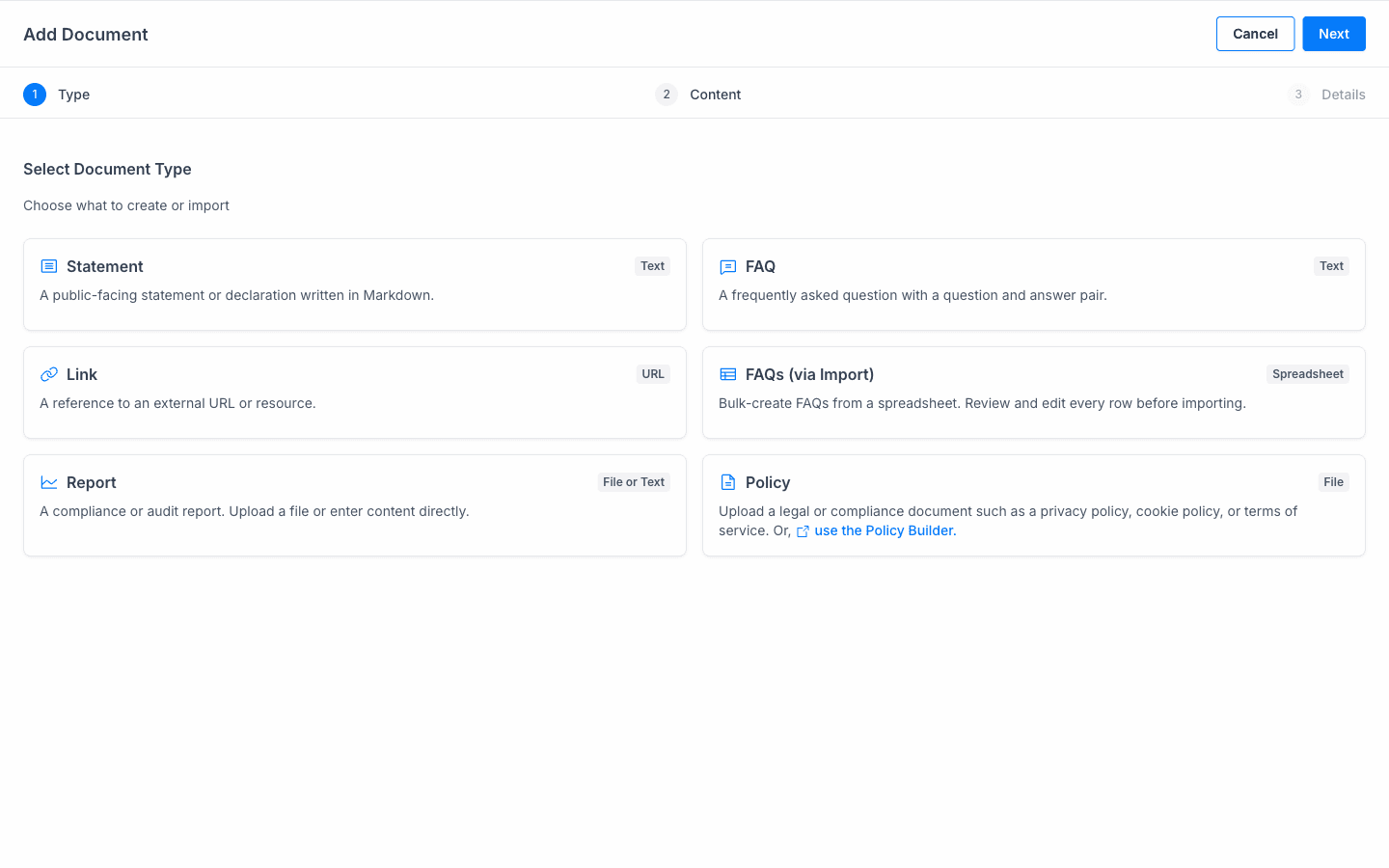
Select FAQ as the document type and click Next.
-
Enter the Question and Answer. Write the question the way a security reviewer would actually phrase it (e.g., "How does your organization handle data subject access requests?").
-
Click Next.
-
Configure the document details: name, category, and access level.
-
Click Save.
The FAQ is now in your global document library. To display it on your Trust Center, include it from Trust → Resources. See Managing Your Trust Center Resources.
Bulk-Importing FAQs from a Spreadsheet
If you have a large number of FAQs, you can import them all at once from a spreadsheet.
- Go to Data Hub → Documents.
- Click + Add Document.
- Select FAQs (via Import) as the document type and click Next.
- Upload your spreadsheet file.
- Review and edit each row before importing. Every FAQ is shown for confirmation before it is created.
- Click Next to configure details, then Save.
Writing Effective FAQs
A few guidelines for writing FAQs that reduce inbound security questions:
- Use the prospect's language. Write the question the way a security reviewer would actually phrase it, not as an internal label.
- Be specific. "We use AES-256 encryption at rest and TLS 1.2+ in transit" is more useful than "We use industry-standard encryption."
- Reference your documents. If an FAQ answer relates to a document in your library (e.g., your SOC 2 report), mention it so visitors know where to find the detail.
- Keep answers current. Review FAQs periodically, particularly after major infrastructure changes, new certifications, or updated sub-processor lists.
Editing an FAQ
- Go to Data Hub → Documents.
- Click on the FAQ you want to edit.
- Update the question, answer, or document details as needed.
- Click Save.
Deleting an FAQ
- Go to Data Hub → Documents.
- Click on the FAQ you want to remove.
- Click Delete.
Deleting an FAQ removes it from your global library and from your Trust Center if it was featured.
Related Articles
Adding & Managing Documents
How to add and manage documents in the Data Hub for use in your Concord Trust Center, including statements, FAQs, links, reports, and policies.
Managing Your Trust Center Knowledge Base
How to select which documents power your Trust Center Knowledge Base, review Approved Answers, and enable the visitor-facing AI chat widget.