Consent Reports & Metrics
The Consent Reports section in Concord is where you can find reporting on consent metrics and user preferences.
The Consent Reports section in Concord is where you can find reporting on consent metrics and user preferences. You will find the following information in the Consent Reports section:
- Overview - A dashboard of consent metrics and user preferences.
- Events - A detailed list of consent events so you can view and analyze the consent events from your users.
- Export - Export consent events from your users as a CSV or JSON file for any date range.
Consent Reports - Overview
To view your consent metrics in Concord, navigate to Consent → Reports → Overview tab in Concord.
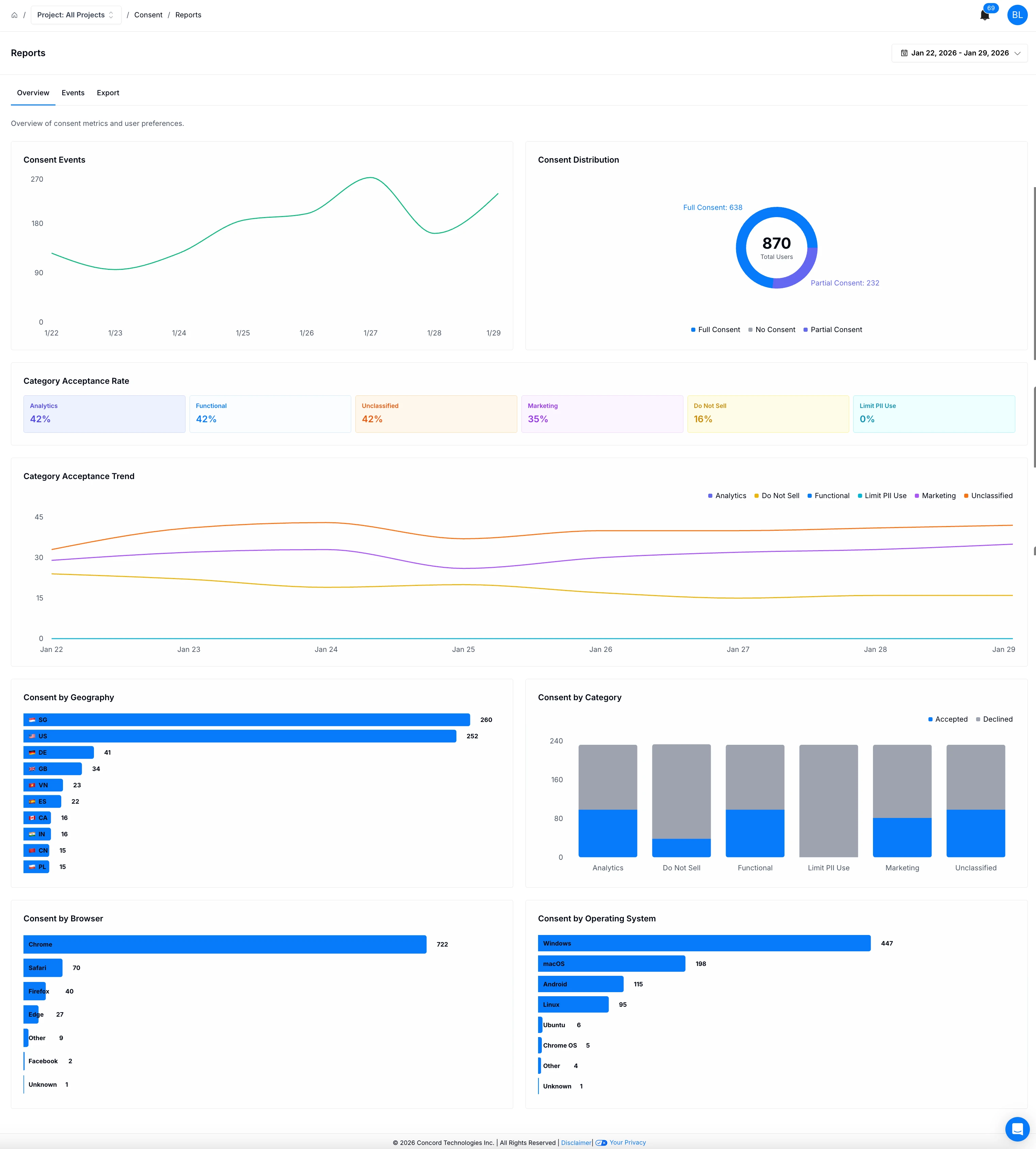
The Consent Reports Overview is a graphical representation of consent metrics and user preferences for a specific time period. The Overview tab includes the following information:
- Consent Events - The number of consent events by day for the selected date range.
- Consent Distribution - The number of users that gave full consent, partial consent, or no consent for the select date range.
- Category Acceptance Rate - The percentage of consent by consent event type submitted (Analytics, Functional, Unclassified, Marketing, Do Not Sell, Limit PII Use) for the selected date range.
- Category Acceptance Trend - A trending view of the number of consent event types submitted (Analytics, Functional, Unclassified, Marketing, Do Not Sell, Limit PII Use) for x period.
- Consent by Geography - The number of consent events submitted by geographical region for the selected date range.
- Consent by Category - The number of consent events submitted by type (Analytics, Functional, Unclassified, Marketing, Do Not Sell, Limit PII Use) and if the user accepted or declined consent.
- Consent by Browser - The number of consent events submitted by browser version.
- Consent by Operating System - The number of consent events submitted by operating system.
Consent Reports - Events
To view a detailed report of consent events in Concord, navigate to Consent → Reports → Events tab in Concord.
In this section you’ll be able to view a list of consent events for the selected time period with the ability to:
- Search by Concord ID - Enter the Concord ID you would like to view details for.
- Filter by State - Accepted, Declined, Implied Consent.
- Filter by Category - Analytics, Do Not Sell, Functional, Global Privacy Control, Limit PII Use, Marketing, Privacy Policy, Strictly Necessary, Unclassified.
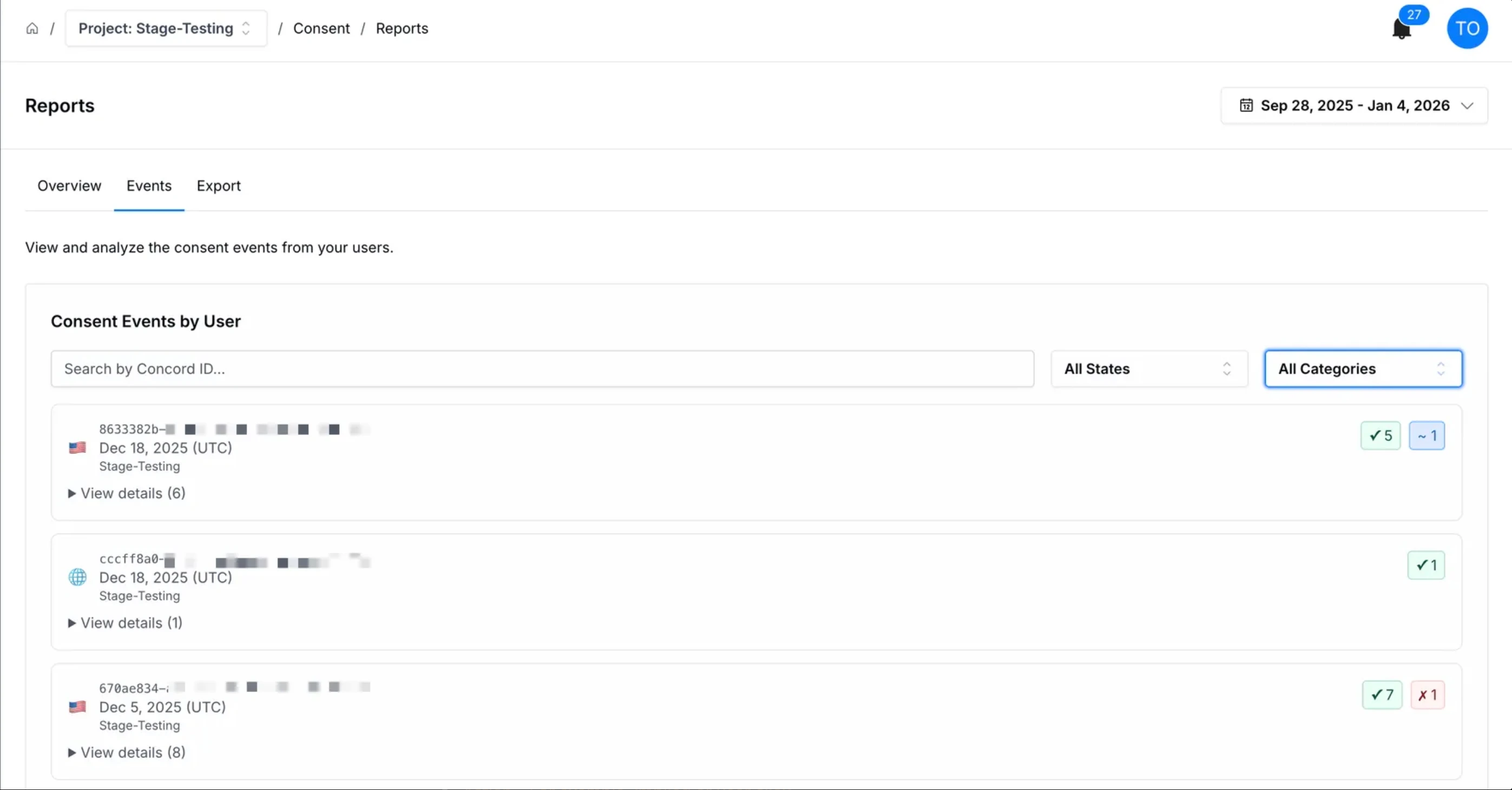
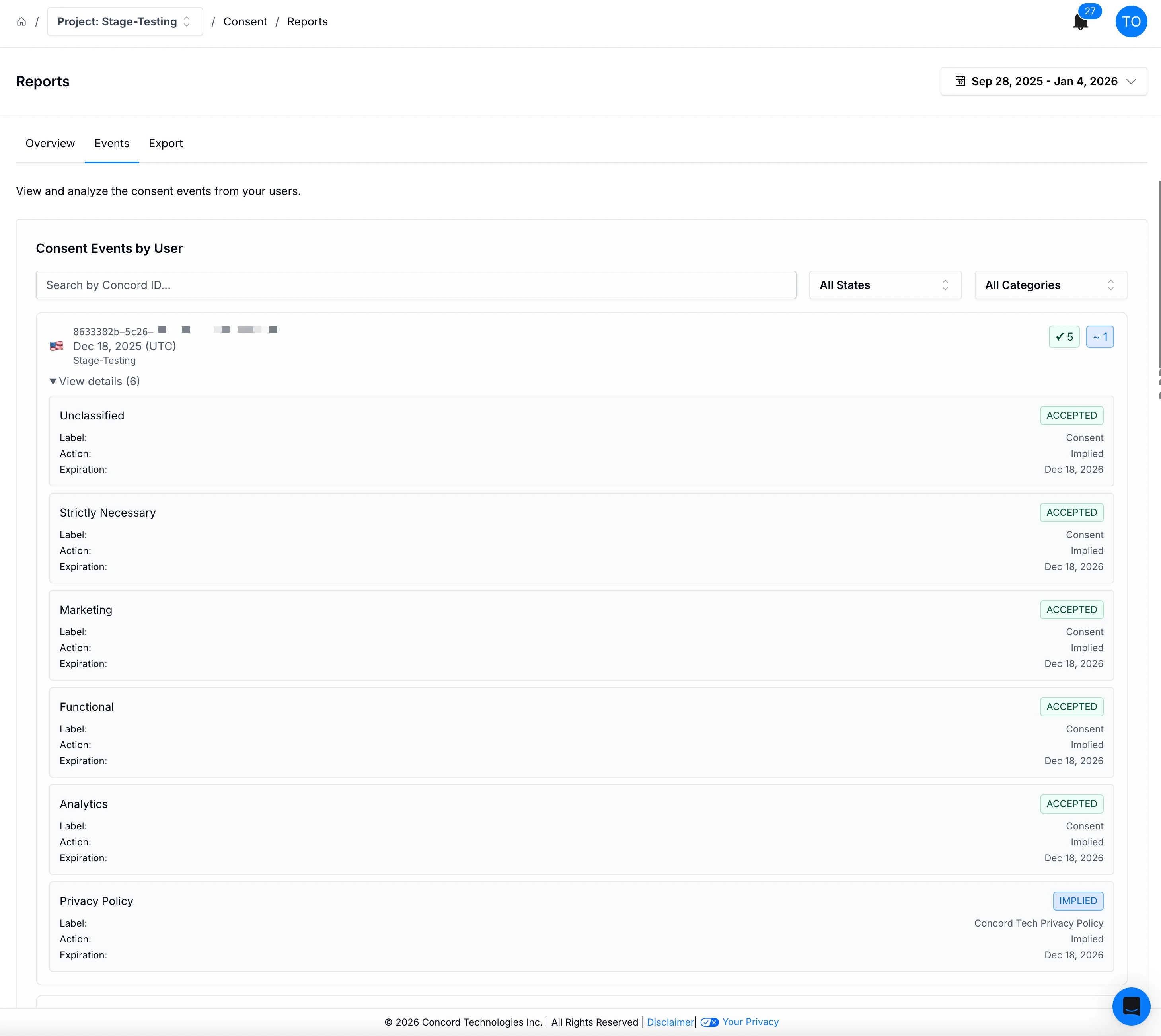
When viewing a list of consent events, you can click on the View Details link to view the consent event details associated to a specific Concord ID including:
- Event category
- Event state
- Label
- Action - For example, implied or user click.
- Expiration date - The date the consent action expires.
Consent Reports - Export
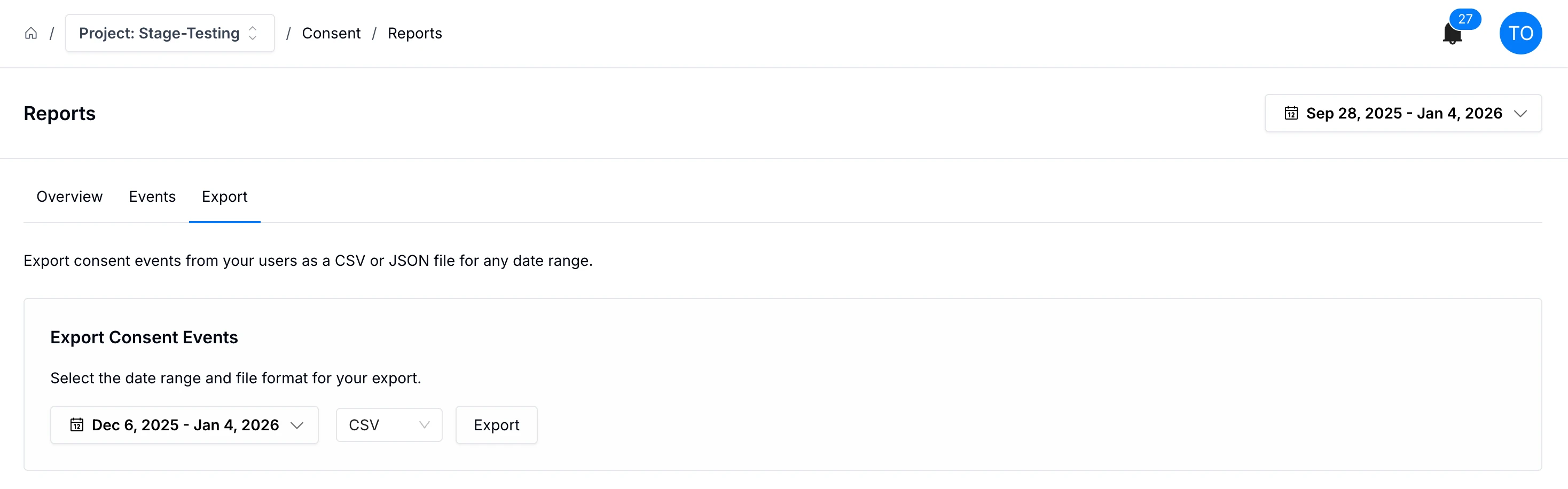
To export consent events from your users, navigate to Consent → Reports → Export tab in Concord. Select the following export options and click the Export button:
- Date range
- Export file type - CSV, JSON
Consent Log Report
The Consent Log Report shows granular detail for each Consent Event received during the dates selected.
Customizing Consent Banner Styling
Fit the Concord consent banner, privacy center, and floating button to your brand with built-in branding controls, CSS variable overrides, and full custom CSS.