Data Hub: System Attributes
How to add, edit, and delete data system attribute types such as Relationships, Origins, Destinations, and more.
Overview
Data system attributes let you categorize and describe the data flowing through your systems. You can manage attribute types from the Data Systems tab bar or directly within an individual system's detail page.
This feature requires a Concord Privacy plan that includes Data Mapping. Customers without Data Mapping can add systems with basic details (Name, Status, Relationship, Notes) but cannot configure attribute types.
Attribute Types
The Data Systems page includes tabs for managing each attribute type. You can view, add, edit, and delete entries for:
- Relationships: The relationship your organization has with a data system. Predefined options: Controller, Joint Controller, Processor, Sub-Processor. You can also create custom relationship types.
- Origins: Where the data in a system originates from. Predefined options include Legacy Data Systems, 3rd Party Data Provider(s), Integrated Data System(s), Built-In Data Collection, and User Submitted Forms.
- Destinations: Where the data is sent to and who it is shared with. Predefined options include Data Partners, Payment Processors, Analytics Providers, Security & Fraud Vendors, Auditors & Compliance Vendors, Researchers & Academic Institutions, Law Enforcement & Government, and Advertisers & Advertising Platforms.
- Processing Purposes: What the data is used for. Predefined options include Business Operations, Sales & Account Management, Customer Support, Security & Fraud, Analytics, and Advertising.
- Data Subjects: The types of individuals whose data is processed.
- Data Categories: The types of personal data stored. Predefined options include Military Status, Location, Demographics, Business/Company, Employment, Education, Device, IP Address, User Generated Content, and Credit/Payment Card Number.
- Security Measures: The measures in place to protect data. Predefined options include Reviews & Audits, Training & Awareness, Risk Management, Information Security Program, ISO 27001 Compliance, SOC 2 Compliance, and Multi-Factor Authentication.
- Contacts: The people at your company or partner companies associated with a data system.
In addition to the predefined options, you can create custom entries for all of the above categories.
Adding an Attribute Type
The process is the same for all attribute types. This example walks through adding a new Destination.
- Go to Data Hub > Systems.
- Navigate to the Destinations tab.
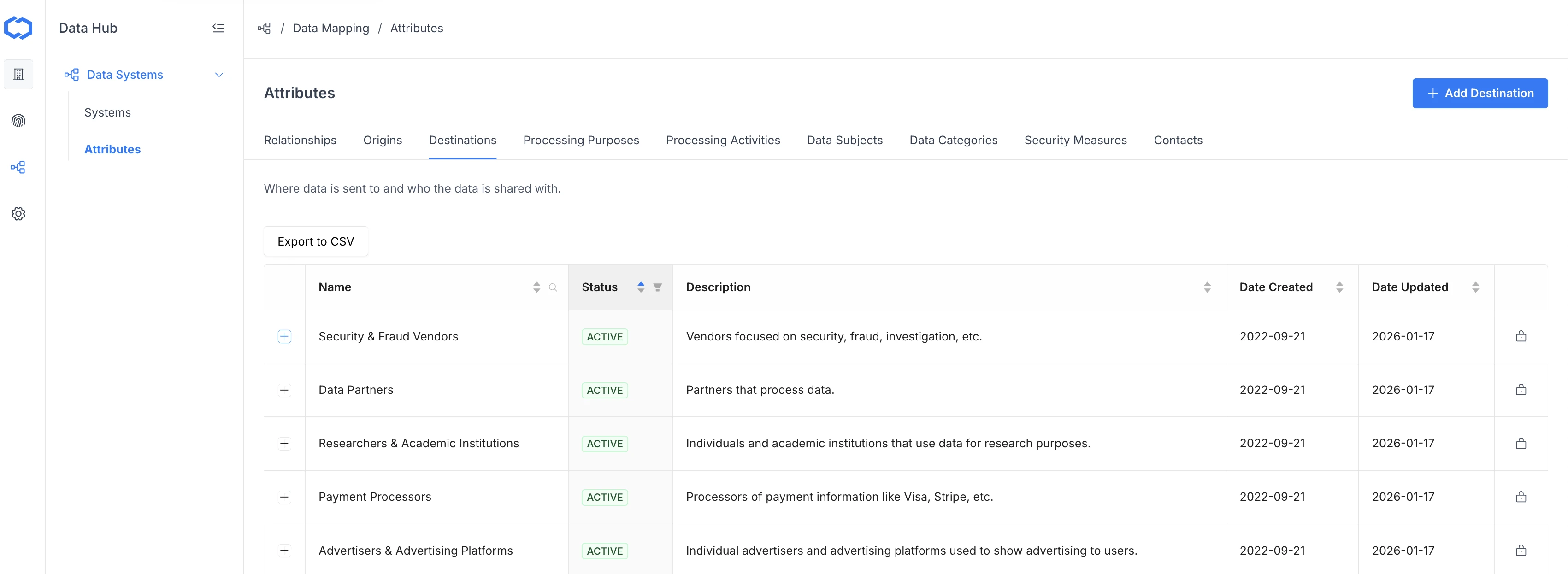
-
Click Add Destination in the upper right corner.
-
Enter a Name (required) and Description (optional), then click OK.
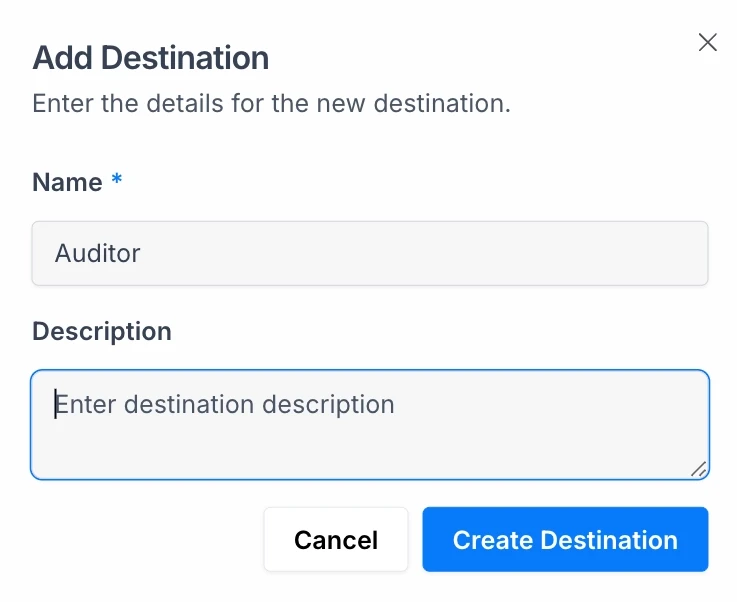
The new entry appears in the list and is immediately available for use when adding or editing data systems.
Editing an Attribute Type
- Go to the relevant attribute tab on the Data Systems page.
- Click the Actions menu (three dots) for the entry you want to update.
- Select Edit, update the fields, and click OK.
Deleting an Attribute Type
- Go to the relevant attribute tab on the Data Systems page.
- Click the Actions menu (three dots) for the entry you want to remove.
- Select Delete and confirm.
Deleting an attribute type removes it from the list of available options. Existing data systems that reference the deleted attribute will retain the association until the system is edited.
Attributes can also be added directly from the Add Data System wizard or from within an individual system's detail page. Any attribute you create in-line is saved to the organization-wide attribute list.